
Integrations
Custom ERP connector development
When your system has no ready-made route, we can assess and develop a connector between it and Invoice And Tax — scoped by a gap analysis of your system, validated in a sandbox and rolled out under control.
- Customer-specific gap analysis
- Sandbox validation before rollout
Last reviewed:
Can you build a connector for our ERP?
We can assess and develop connectors for systems such as Oracle (e.g. Oracle E-Business Suite, Oracle NetSuite, Oracle Fusion Cloud ERP), SAP (e.g. SAP S/4HANA, SAP ECC, SAP Business One), Odoo, Microsoft Dynamics (Dynamics 365 Finance, Business Central, Dynamics GP), Sage, Tally, and other ERP, accounting, POS or custom systems, following a customer-specific gap analysis.
Systems
Systems we can assess
Assessment comes first: whether and how a connector is built depends on your system, its version and how it exposes data. A product named here does not mean a ready-made connector for it exists.
-
Oracle
For example Oracle E-Business Suite, Oracle NetSuite and Oracle Fusion Cloud ERP.
-
SAP
For example SAP S/4HANA, SAP ECC and SAP Business One.
-
Odoo
Odoo deployments, hosted or on your own servers.
-
Microsoft Dynamics
Dynamics 365 Finance, Business Central and Dynamics GP.
-
Sage
Sage accounting and ERP products.
-
Tally
Tally accounting.
-
Other systems
Other ERP, accounting, point-of-sale or custom-built systems.
Delivery model
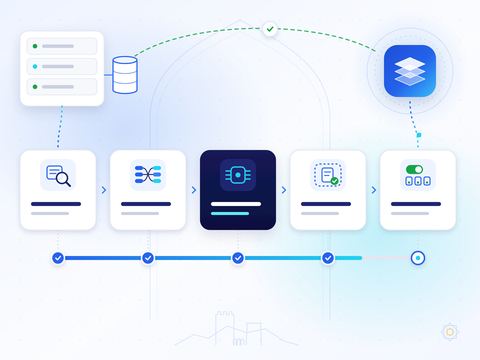
How we deliver a custom connector, in nine steps
Every connector follows the same controlled path, from discovery to support after go-live.
-
01
Discovery of your system and version
We document your system, its version and edition, the documents you issue, their volumes and where invoice data originates.
-
02
Gap analysis
We compare what your system exposes with what each e-invoice needs, and agree how every gap is closed.
-
03
Data-field and accounting mapping
Fields, tax codes, units, parties and accounting references are mapped to the document composer and its validation rules.
-
04
Security and authentication design
We agree how the connector authenticates, the permissions it needs, and how credentials are stored and rotated.
-
05
Adapter development
The adapter is built on our connector framework, using a transport your system supports.
-
06
Sandbox validation
Sample and edge-case documents run end to end in a test environment, and the results are reviewed with your team.
-
07
Reconciliation and failure handling
Totals are reconciled, duplicates are prevented, and every failure is recorded with a reason and a way to recover.
-
08
Controlled rollout
The connector is switched on for your organisation in stages, starting with a limited set of documents.
-
09
Monitoring and support
Document statuses are visible in the platform, and our team supports the connector after go-live.
Integration assessment
Request integration assessment
Send your ERP requirements: the system and version, where it is hosted, the documents you issue and your monthly volume. We will reply to arrange the assessment.
Custom connector questions
Do you already have a connector for SAP, Oracle or Microsoft Dynamics?
We do not publish ready-made connectors for these products. We assess your specific system and version and, where the gap analysis supports it, develop a connector for it on our connector framework.
How long does a custom connector take?
It depends on your system, how it exposes data and the gaps found. We give you an estimate after the gap analysis, not before.
What if our system has no API?
The connector framework also supports SOAP/XML, OData, GraphQL, SFTP file exchange, direct database access, a local agent and manual upload.
Can the connector run inside our network?
Yes. The connector framework supports cloud, private-cloud, on-premises, desktop and hybrid deployment, including a local agent.