
Integrations
Connect the systems you already run — no rip and replace
Your ERP or accounting system stays the source of your invoices. Invoice And Tax connects to it through the REST API, a connector framework with file and SFTP transports, or Excel and CSV import, then validates, issues and tracks every document.
- Versioned REST API, OpenAPI 3.1
- Cloud, private cloud or on-premises
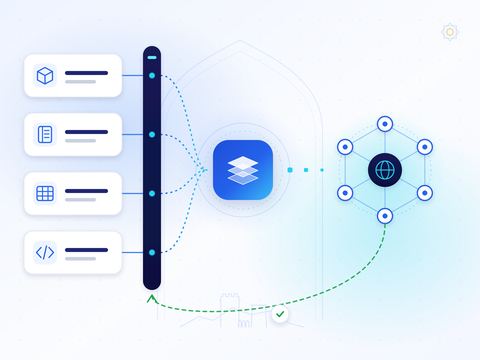
How does Invoice And Tax connect to my accounting system or ERP?
Through one of six routes: the versioned REST API; the connector framework, which supports REST/JSON, SOAP/XML, OData, GraphQL, SFTP, direct database and local-agent transports; Excel and CSV import; manual entry; the Zoho Books connector; or a custom connector developed for your ERP after a gap analysis. Every route feeds the same validation rules.
Methods
Six ways to connect
-
REST API
A versioned API with organisation-scoped bearer keys, an OpenAPI 3.1 specification, a Postman collection and a quick-start guide.
API for developers: REST API -
Connector framework
Configurable connectors with REST/JSON, SOAP/XML, OData, GraphQL, SFTP, direct database, local agent and manual upload transports.
-
Excel and CSV import
Bring invoice data in from spreadsheets through the same composer used for manual entry.
Excel import: Excel and CSV import -
Manual entry
Create documents directly in Invoice And Tax, in Arabic or English.
-
Zoho Books connector
Bring supported invoice data from Zoho Books into Invoice And Tax through a tested, operational integration workflow.
Zoho Books: Zoho Books connector -
Custom ERP connector development
For other ERP, accounting or POS systems, we can assess and develop a connector after a customer-specific gap analysis.
Custom connectors: Custom ERP connector development
Connector framework
Transports for real-world systems
Not every system has a modern API. The connector framework lets us reach your data the way your system already exposes it — from a web service to a scheduled file drop — and run it in the deployment mode that suits your IT policy.
- REST/JSON, SOAP/XML, OData and GraphQL
- SFTP and manual file upload
- Direct database access or a local agent
- Cloud, private cloud, on-premises, desktop or hybrid
Status
Integration routes and formats
Each route shows its real status: available or on request.
-
Available
REST API
A versioned REST API (/api/v1/) with organisation-scoped bearer keys, an OpenAPI 3.1 specification, a Postman collection and a quick-start guide.
-
Available
Connector framework and file transports
Configurable connectors over REST/JSON, SOAP/XML, OData, GraphQL, SFTP, direct database or a local agent, in cloud, private-cloud or on-premises setups.
-
Available
Excel and CSV import
Import invoice data from Excel and CSV files through the same document composer and validation rules as manual entry.
-
Available
Manual entry
Create tax invoices, credit and debit notes directly in Invoice And Tax, in Arabic or English.
-
Available
Zoho Books connector
Bring supported invoice data from Zoho Books into Invoice And Tax through a tested, operational integration workflow.
-
On request
Custom ERP connector development
Connectors for other ERP, accounting, POS or custom systems, assessed and developed after a customer-specific gap analysis.
-
Available
PINT-OM (UBL 2.1)
Tax invoices, credit notes and self-billing documents generated in the PINT-OM format, the Oman specification of Peppol International, using UBL 2.1.
-
Available
Peppol network exchange
Document exchange over the Peppol network with signed and encrypted AS4 messaging. Invoice And Tax is a Peppol-certified Access Point Service Provider.
Approach
How an integration project runs
-
01
Discover
We review your systems, document types, volumes and where invoice data originates.
-
02
Map
Fields from your system are mapped to the document composer and its validation rules.
-
03
Test
Sample documents run end to end, and validation results are reviewed with your team.
-
04
Go live
The route is switched on for your organisation, with statuses visible in the platform.
Integration questions
Do you integrate with my ERP?
Most ERPs can be reached through one of the connector framework's transports. ERP integrations are scoped and delivered per project — tell us your system and we will confirm the approach.
Can you build a connector for our ERP?
We can assess your system and version and, where a gap analysis supports it, develop a connector on our connector framework. See custom ERP connector development.
Can we start without an integration?
Yes. Many organisations start with Excel and CSV import or manual entry and add an integration later.
Can we use the Zoho Books connector?
The Zoho Books connector brings supported invoice data into Invoice And Tax through a tested, operational integration workflow. Availability and configuration depend on your organisation, its permissions and the agreed mapping — tell us about your setup.
Can the integration run inside our own network?
Yes. The connector framework supports private-cloud, on-premises, desktop and hybrid deployment, including a local agent.